
 Sound Travel · iPhone & iPad app
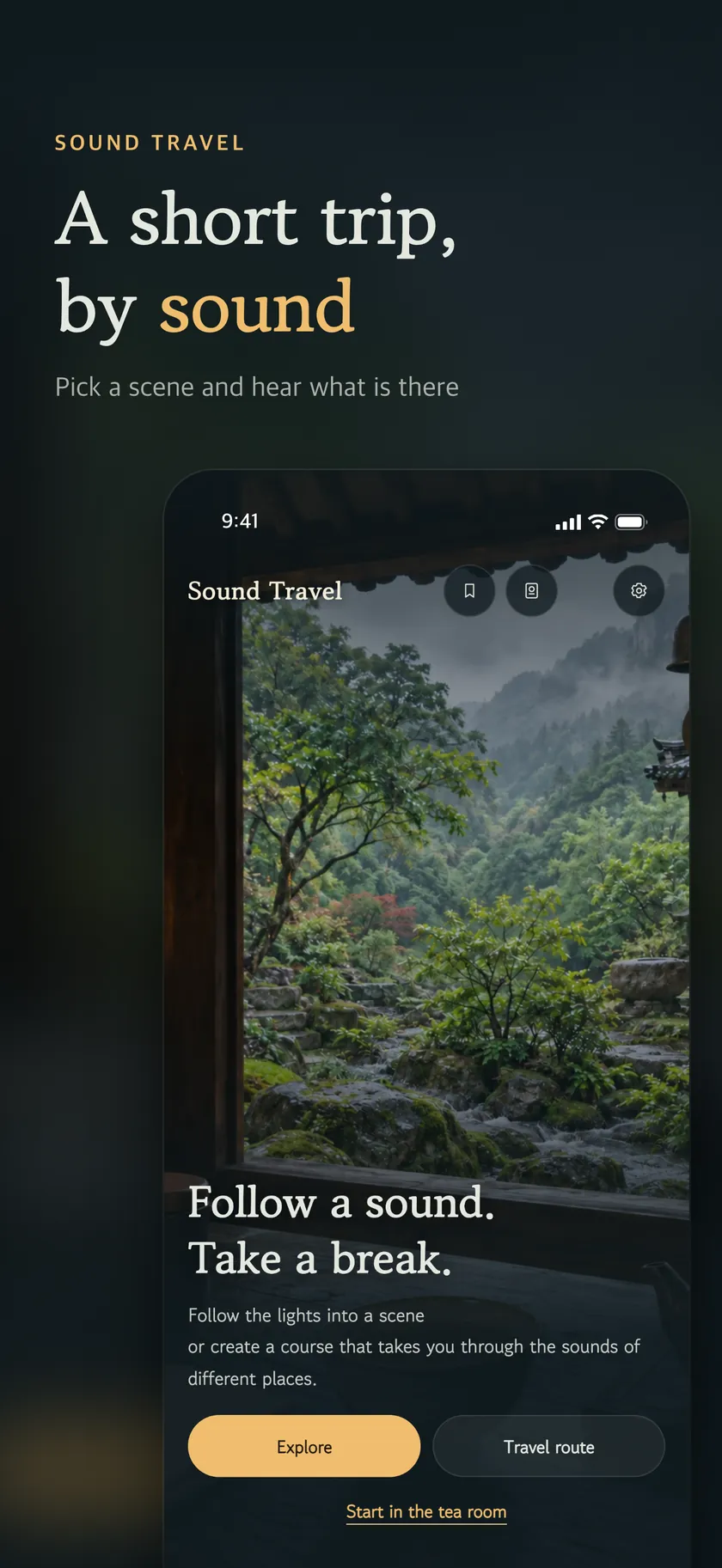
Follow a sound.Take a short trip.
Pick a scene, tap the things in the picture, and choose what you want to hear. Rain at a tea room, chatter down a market alley, waves on a shore. Mix them at your own pace.
Three steps
Choose a place
Pick a scene from Korea, Japan or the US. There is also a night train.
Tap what you see
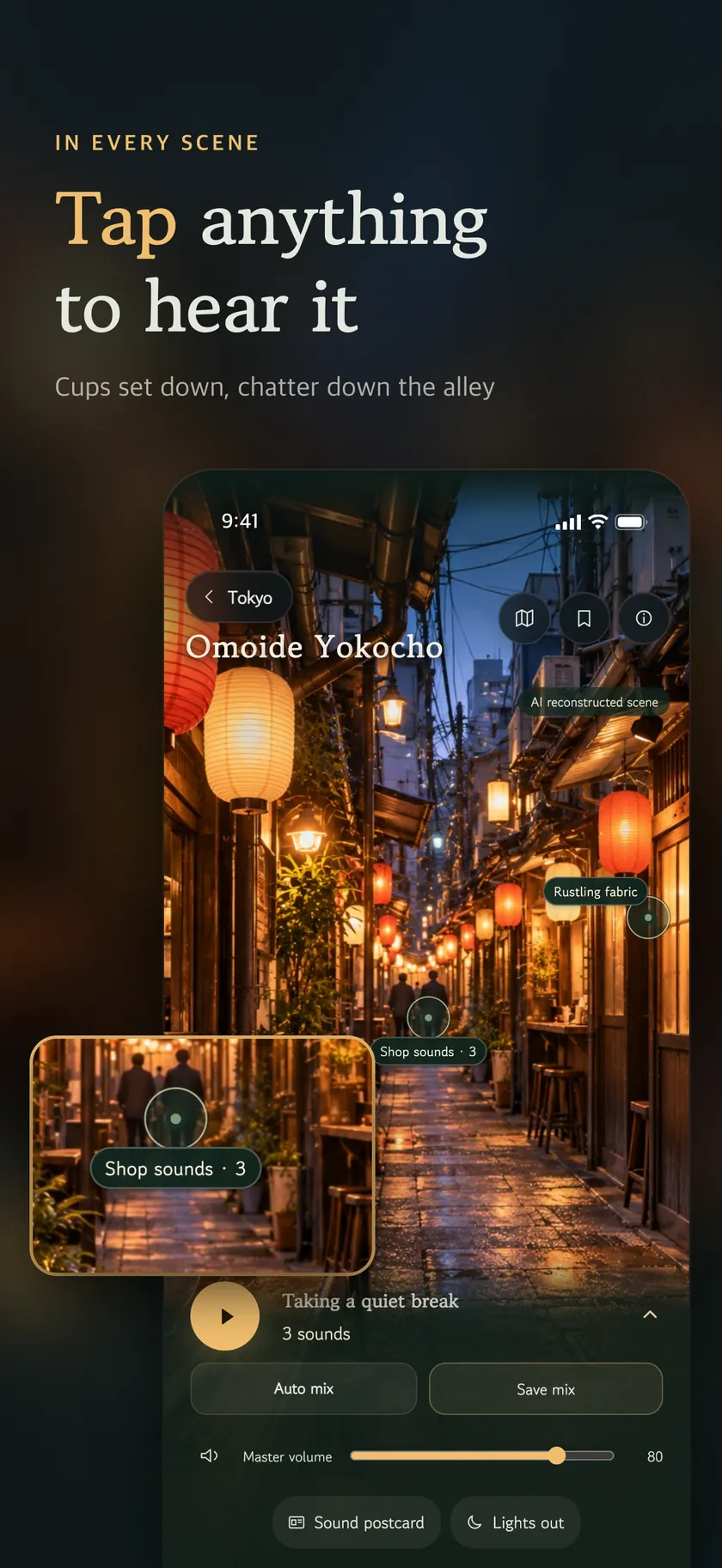
Tap an object in the picture to add its sound. A cup, an alley, a wave: each one sounds different.
Mix and keep
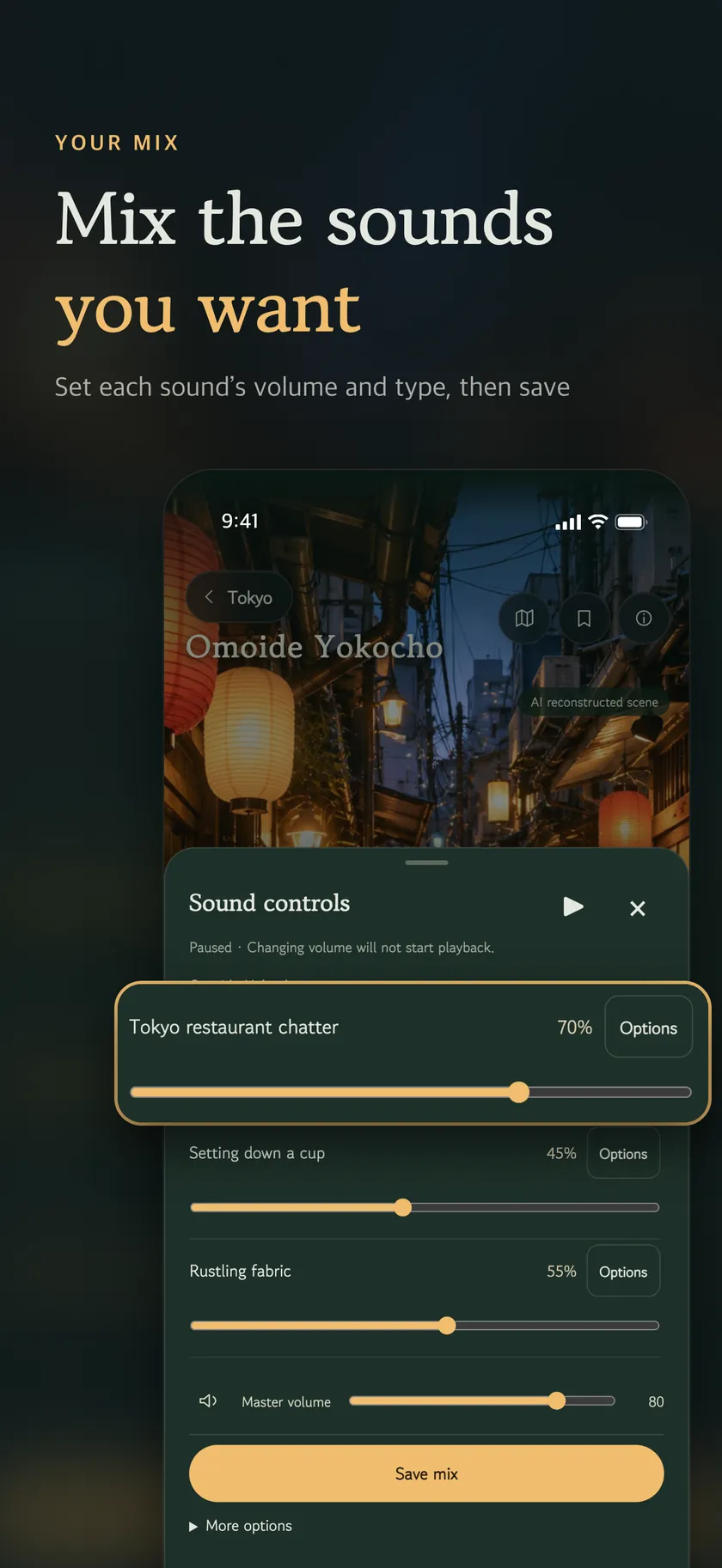
Set each sound’s volume and type. Give a mix you like a name and save it on your device.
Tap anything to hear it
Every scene is a picture with sounds hidden in it. Tap an object and its sound joins the mix. If you do not know where to start, auto mix starts you off with sounds that suit the place.
Make your own mix
Each sound has its own volume and a choice of types, and there is a master volume on top. When a mix feels right, name it and save it. It stays on your device.
Store artwork. The screens are from the actual app; scenes are AI-reconstructed illustrations.
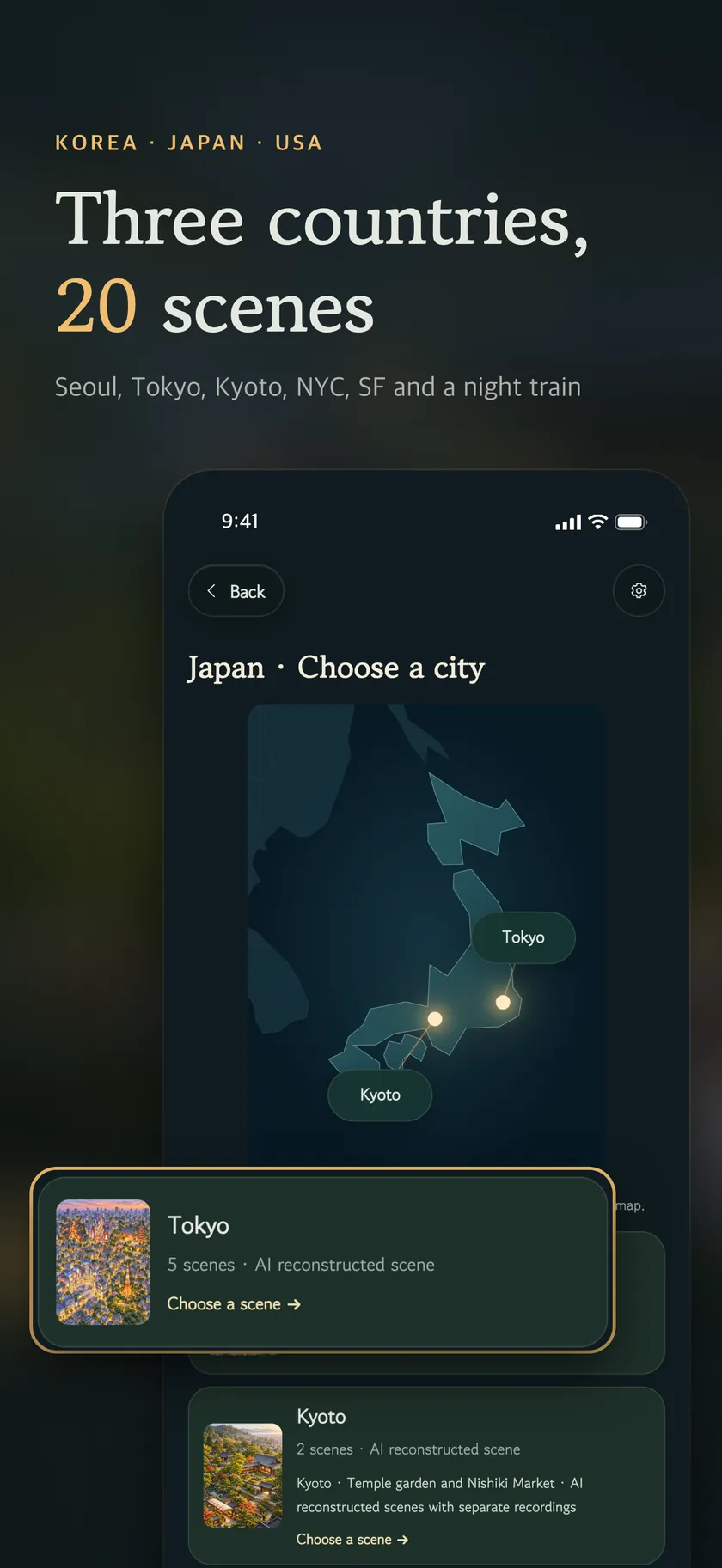
20 scenes, three countries
19 places in Korea, Japan and the United States, plus a night train. You can add a forest or the sea to the night train.
Korea Seven scenes
- Tea room
- Seaside retreat
- Snowy cabin
- Summer forest tent
- Seoul café
- Yeouido at night
- Wolmido amusement park
Japan Seven scenes in Tokyo and Kyoto
- Tokyo Tower park
- Omoide Yokocho
- Sensō-ji
- Shibuya Crossing
- Kabukichō
- Kyoto temple garden
- Nishiki Market
United States Five scenes in New York and San Francisco
- Central Park shade
- Brooklyn Bridge riverside
- Times Square at night
- Misty waterfront
- Cable car hill
Night train Add a forest or the sea outside the window
The first four Korean scenes are imagined landscapes, not real places.
Routes and a timer
A travel route plays several places in turn. Choose the scenes and how long to stay in each, and the app moves on by itself. A timer sets how long playback lasts.
Playback continues with the screen locked or while you use other apps.
About the pictures and sounds
- Scenes are AI-reconstructed illustrations. They are not photographs.
- Sounds combine recordings made in different places with general sound effects. They are not recordings made at the spot in the picture, and the scenes are not navigation maps.
- Recording sources, creators and license terms are listed inside the app.
Nothing leaves your device
- No sign-in or ads.
- Sounds and pictures are bundled in the app. Your mixes stay on your device.
- The app does not collect personal information or send it anywhere.
Questions
Is it free?
The 20 base scenes are free. Snowy night, Afternoon in Europe and Rainy night are paid packs; check the App Store for availability. No ads or sign-in.
Does it work without internet?
Playback does not need a network, because the sounds and pictures are bundled in the app.
Which devices and languages?
iPhone and iPad. You can choose Korean or English in the app’s settings.
Are the places real recordings?
Not exactly. The pictures are AI reconstructions, and the sounds are credited recordings from separate places plus general effects. The app does not claim a sound was recorded at the place in the picture.
Where do my saved mixes go?
They stay on your device. Deleting the app may remove them, and we can neither see nor restore them.
Where would you like to be for a few minutes?
Download on the App Store